For many listeners, Spotify is where podcasts begin and end. Across much of Europe it is the most popular podcast app, so "being on Spotify" is naturally one of the first things you want to sort out. But behind that simple wish hides a choice you will still feel in five years.
There is a difference between letting Spotify host your podcast and distributing your podcast to Spotify. It looks like a technical detail. In reality it is the question of who owns your show. On the Springcast platform alone, listeners start around 85 episodes every minute (Springcast platform data, May 2026): there is plenty of audience, the question is how you build it without locking yourself in.
First this: "being on Spotify" is not "being hosted by Spotify"
A podcast is not a file you upload to Spotify. It is an RSS feed: one web address with your show's details and every episode. Spotify, Apple and other apps read that feed to display your podcast. Whoever controls the feed controls the show. That leads to two roads.
- Road 1, hosting on Spotify. You upload your audio straight into Spotify for Creators. Free and all in one place, but your feed lives inside Spotify.
- Road 2, hosting on your own platform. You host your show with an independent host like Springcast and distribute your feed to Spotify, Apple, YouTube and the rest. You own the feed; Spotify is one of your channels.
Both put you "on Spotify". Only the second also keeps you the owner. Hold on to that distinction, because the rest of this article turns on it.
The pros of putting your podcast on Spotify
Let us be honest about why Spotify matters. The advantages are real:
- Reach and discovery. This is where millions of people search for, follow and share their podcasts. Not being there is not an option.
- Familiar to your listener. Following, playlists and recommendations work the way people expect, which removes friction.
- Video and extra features. Spotify invests in video podcasts and interactive features that can grow your audience.
- A free entry point. Submitting your podcast to Spotify costs nothing.
- Native stats. Spotify for Creators shows you how your Spotify audience listens.
In short: Spotify belongs in your plan. The question is not whether to be on it, but how you get on it.
The cons and the quiet traps
The pros are mostly about Spotify as a channel. The cons are about what happens when Spotify also becomes your foundation.
- Lock-in if you host on Spotify. If your feed lives inside Spotify, leaving is messy. You risk your followers, your place in playlists and the history you built.
- One platform, one lens. Spotify stats only count Spotify. You never see your total audience across every app in one place.
- Platform risk. Terms, algorithms and features change without you. You are building on ground you do not own.
- No separate ownership layer. Who hosts your feed? On whose account? And the most forgotten question: on whose email address?
A channel you rent. Your feed you own. Never confuse the two.
Are you going for a hotmail address or a professional one?
Nobody trusts a serious business that emails from johnsmith1985@hotmail.com. Not because Hotmail is bad, but because it gives something away: this was not set up to last. With your podcast on Spotify, exactly the same question plays out, on two levels.
Level 1, the owner email. When you submit your feed to Spotify, Spotify sends a verification code to the email address listed in your RSS feed: the owner address. Whoever has that inbox can claim, move and manage the show. If that is an intern's or a founder's personal email, your whole show hangs on one person who can leave, forget their password, or lose access to the mail.
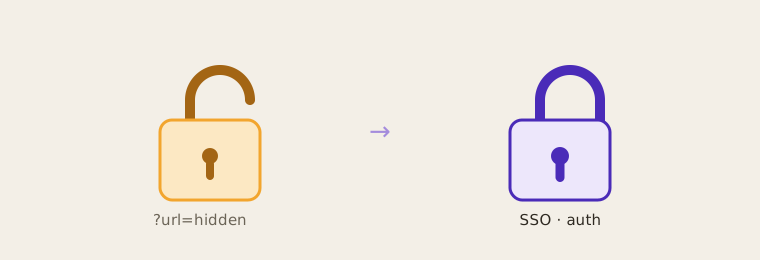
Level 2, the host. A personal email address is to your inbox what "hosting on Spotify" is to your podcast: fine to start fast, a risk to build on. A professional address and your own feed say the same thing: this is ours, this will last, you can build on it.
The point is not that Hotmail is wrong. For a hobby show between friends, anything goes. But professional creators and teams play a different game, and that calls for professional choices.
Why professional creators and teams must stay the owner
Ownership sounds abstract until it goes wrong. Concretely, it gives you four things you do not want to miss.
- Continuity. People come and go, the show stays. A shared owner address and your own feed survive any departure; you never lose a password that lived in someone's head.
- Portability. With your own RSS feed you switch hosts without losing your listeners, your followers or your reviews. You move, you do not start over. See also how to choose a podcast host.
- One truth about your audience. Owning your hosting gives you analytics across every app combined, not just your Spotify numbers. That full picture is the foundation of strategies that let you own your podcast audience rather than rent it from a platform.
- Brand, data and revenue. Your own feed, player and data are yours, so you can take sponsorships, segment and prove your worth. For organisations in the EU, where your data lives matters too.
The two roads side by side
- Hosting on Spotify: free, fast, all in one place. But your feed lives inside Spotify, leaving is hard, and you only see Spotify stats.
- Your own host plus distribution (Springcast): you own the feed, distribute to every app at once, see your total audience and can always switch. See also Springcast vs Spotify.
How to put your podcast on Spotify through Springcast
The right route is surprisingly simple, and you stay the owner. You host your show on Springcast and submit your RSS feed to Spotify once. After that, every new episode flows out on its own.
- 1. Set up your show in Springcast: title, description, category, language and cover art (square, 3000 by 3000 pixels).
- 2. Set the right owner email: professional and team-shared, not a personal inbox. This address receives the Spotify verification code.
- 3. Publish at least one episode so your RSS feed is live and public.
- 4. Copy your RSS feed URL from Springcast (in your distribution settings).
- 5. Go to Spotify for Creators and sign in with your professional account, or create one.
- 6. Choose "Add your podcast" and paste your RSS feed URL.
- 7. Confirm ownership with the verification code from your owner inbox and fill in the final details (category, language, country).
- 8. Review and submit. Spotify reviews your show, usually within a few hours to a few days.
After approval, you never repeat this. Publish a new episode in Springcast and it appears automatically on Spotify and on every other app where your feed lives. Set it up once, be everywhere. Want the whole picture from recording to publishing, read how to start a podcast or see how hosting and distribution work at Springcast.
📋 Your Spotify checklist
- Show set up in Springcast (title, description, category, 3000 by 3000 cover)
- Professional, shared owner email set (no personal inbox)
- At least one episode published, feed live and public
- RSS feed URL copied from Springcast
- Feed submitted in Spotify for Creators
- Ownership confirmed with the verification code
- Details checked and show submitted for review
Frequently asked questions
Be on Spotify and stay the owner
You do not have to choose between Spotify's reach and control over your own show. Host your podcast on Springcast, distribute to Spotify, Apple and the rest, and keep your feed, your data and your audience in your own hands. That is the difference between a hobby address and a professional one, applied to your podcast. Start today: start free with Springcast and get your feed live in minutes.