For HR and L&D teams
Frontline onboarding and training app
Your training already exists. Now get it to the people on the road and on the shop floor.
Build courses from audio and video lessons, add quizzes and see who finishes. Employees learn in the Springcast Mobile app on their phone, whether or not you keep your LMS.
Public betaOpen to customers as an add-on to Company. Also available with Enterprise.
€150per month on top of Company, including 100 active learners per subscription year, excluding VAT.
01 / How it works
One course, from the invitation to the last lesson
The material is often there, from a welcome by management to the safety rules on site. What’s missing is a way to reach people who spend their day in a van or at a customer’s site.
Invite
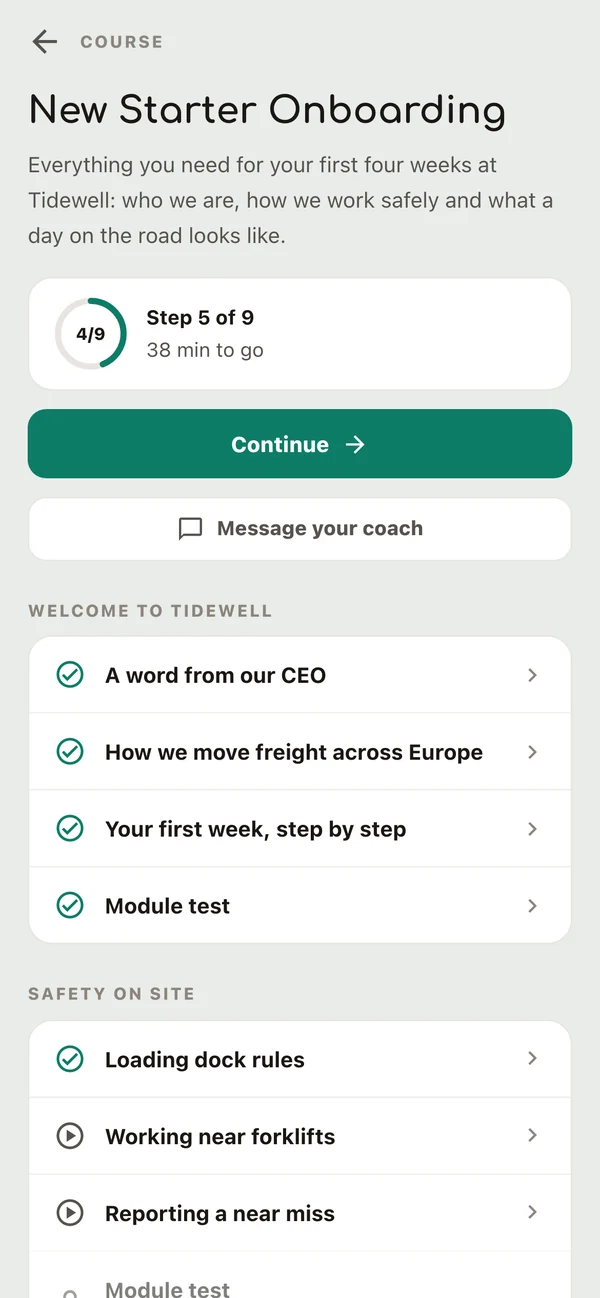
You add new starters to a cohort, and the course shows up in their library in the app.
Listen or watch
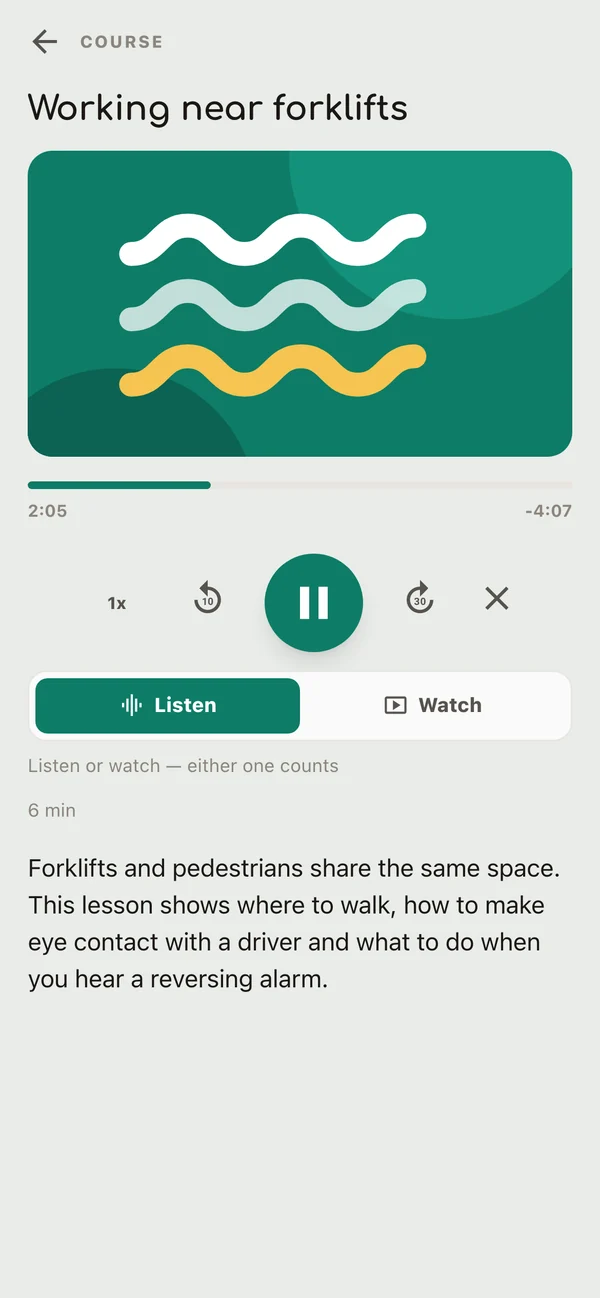
Each lesson is audio, video or both, and plays in the app.
Check
A quiz checks what stuck. You set the pass mark and the number of attempts.
Unlock
Make the quiz a gate, and the next module opens only after a pass.
Finish
The course is complete. If you use certificates, the learner gets one.
Courses appear in the same Springcast Mobile app as your internal podcast shows.
02 / For your employees
Lessons they can listen to on the road
Carry on from the stream
A course in progress appears in their stream, next to the podcast episodes they have access to. Enrolled and completed courses are in the library.
Audio or video
A lesson plays as audio or video. When it has both, the employee chooses. With audio, they don’t need to look at a screen, so a lesson fits into a drive or a walk across the site.
Quizzes in the app
Before a quiz, they see the number of questions, the score they need and the attempts they have left. After submitting, they get their result and can try again if attempts remain.
Ask a coach
From the course, they can start a conversation with a coach. Your organisation decides who coaches, and coaches reply from the Springcast platform on the web.
Certificate as a PDF
With certificates switched on, completing the course produces one. They open it as a PDF and can save or share it from their phone.
Learning happens in the Springcast Mobile app, on iOS and Android. You build and manage courses on the web.
03 / For you as organiser
Build the course once, run it for every intake
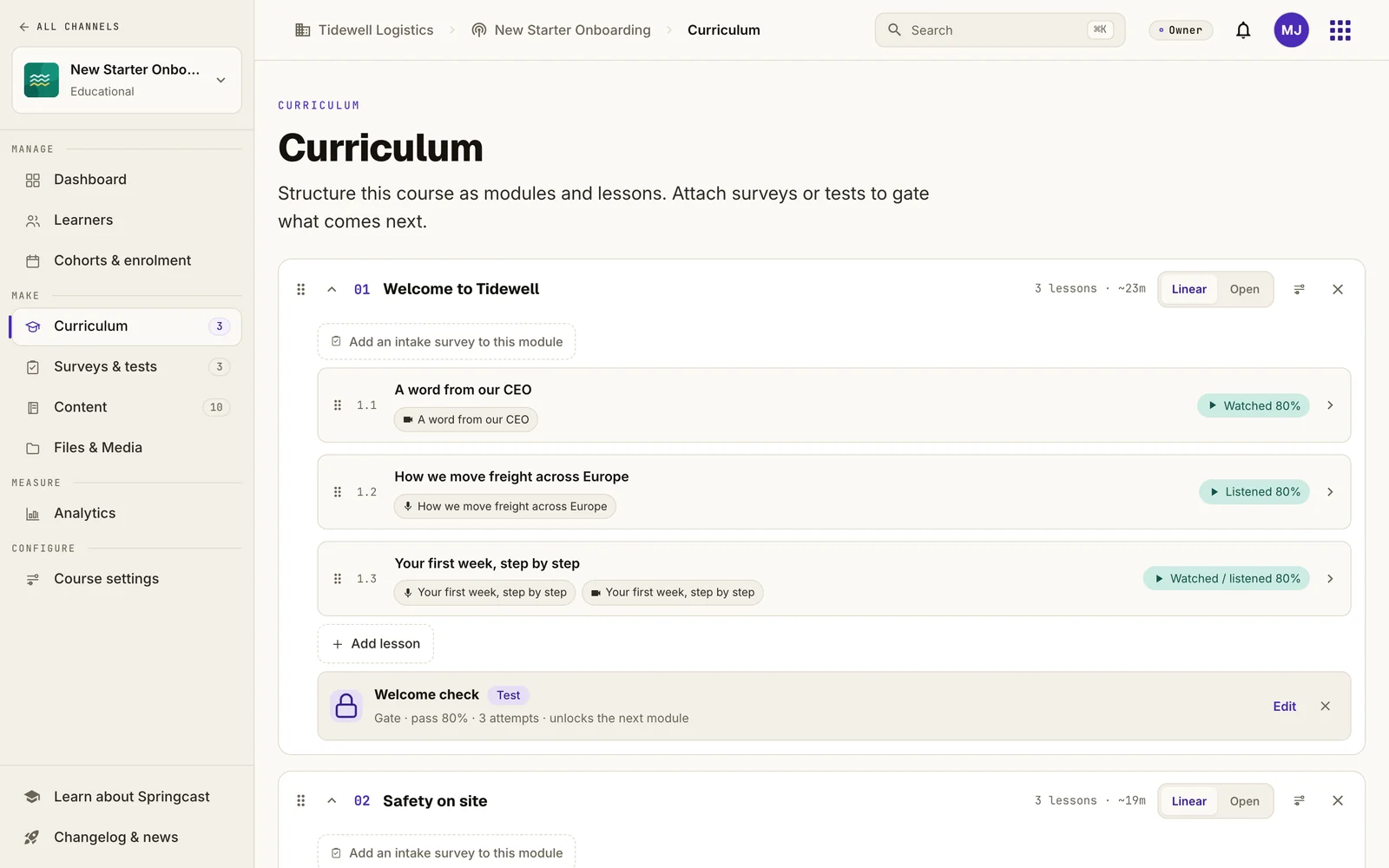
Add audio and video under Content first, then link each item to a lesson. That way, existing audio and video files can become lessons.
Modules and lessons, in the order you choose
A course is made up of modules, and each module holds lessons. A lesson has one audio item, one video item or one of each. You decide when it counts as done: as soon as it starts, or when playback reaches a percentage you set.
Check what stuck before they move on
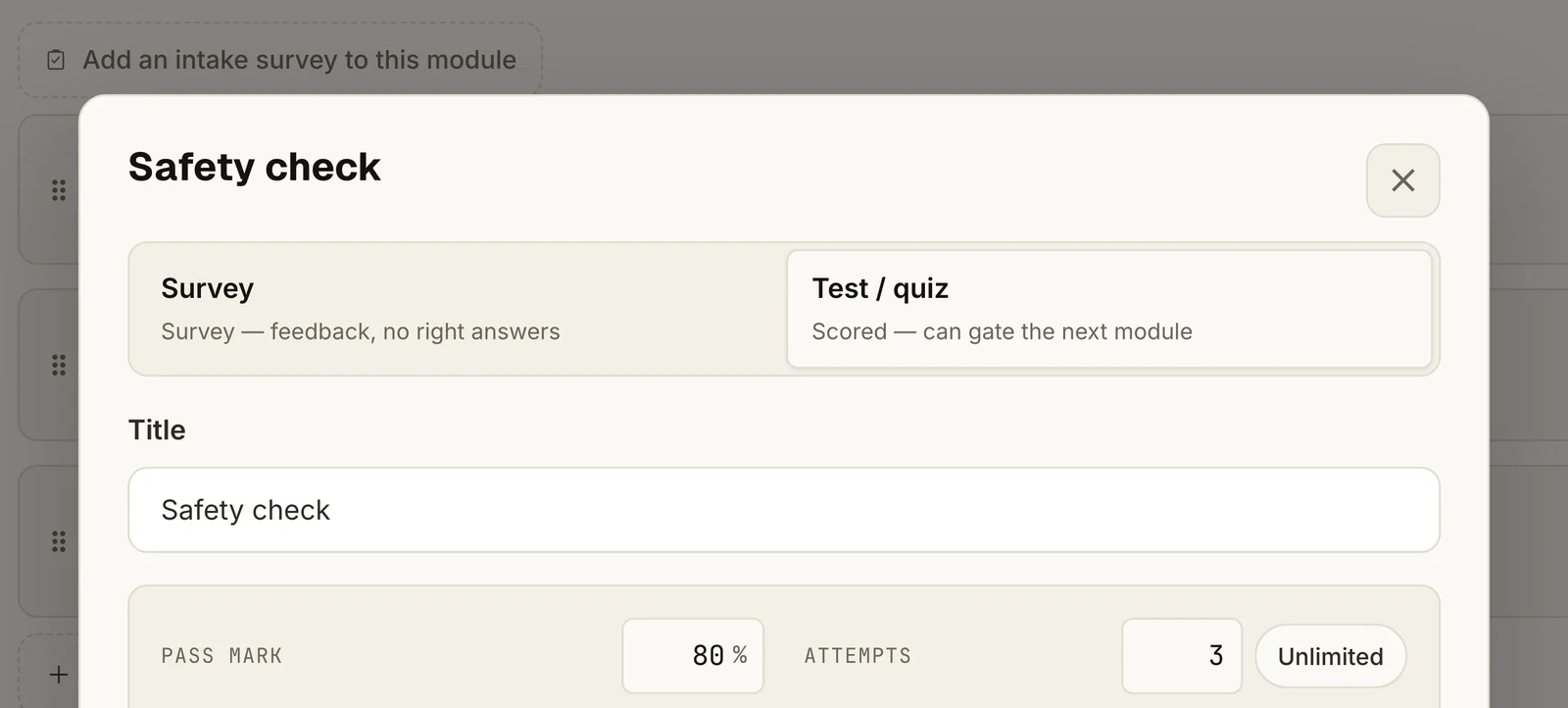
Place a quiz after a lesson, at the end of a module or at the end of the course. Set a pass mark and a number of attempts, and let the result decide whether someone moves on. Questions can be single or multiple choice, true or false, a rating or open text. A survey collects answers without right or wrong.
A cohort for each group of new starters
A cohort is a group that takes the course together, with its own coach. Give it start and end dates for a fixed intake, or leave the dates open for ongoing onboarding. You can also make a course visible in your company app, so employees can find it and enrol themselves. It is never public outside your organisation.
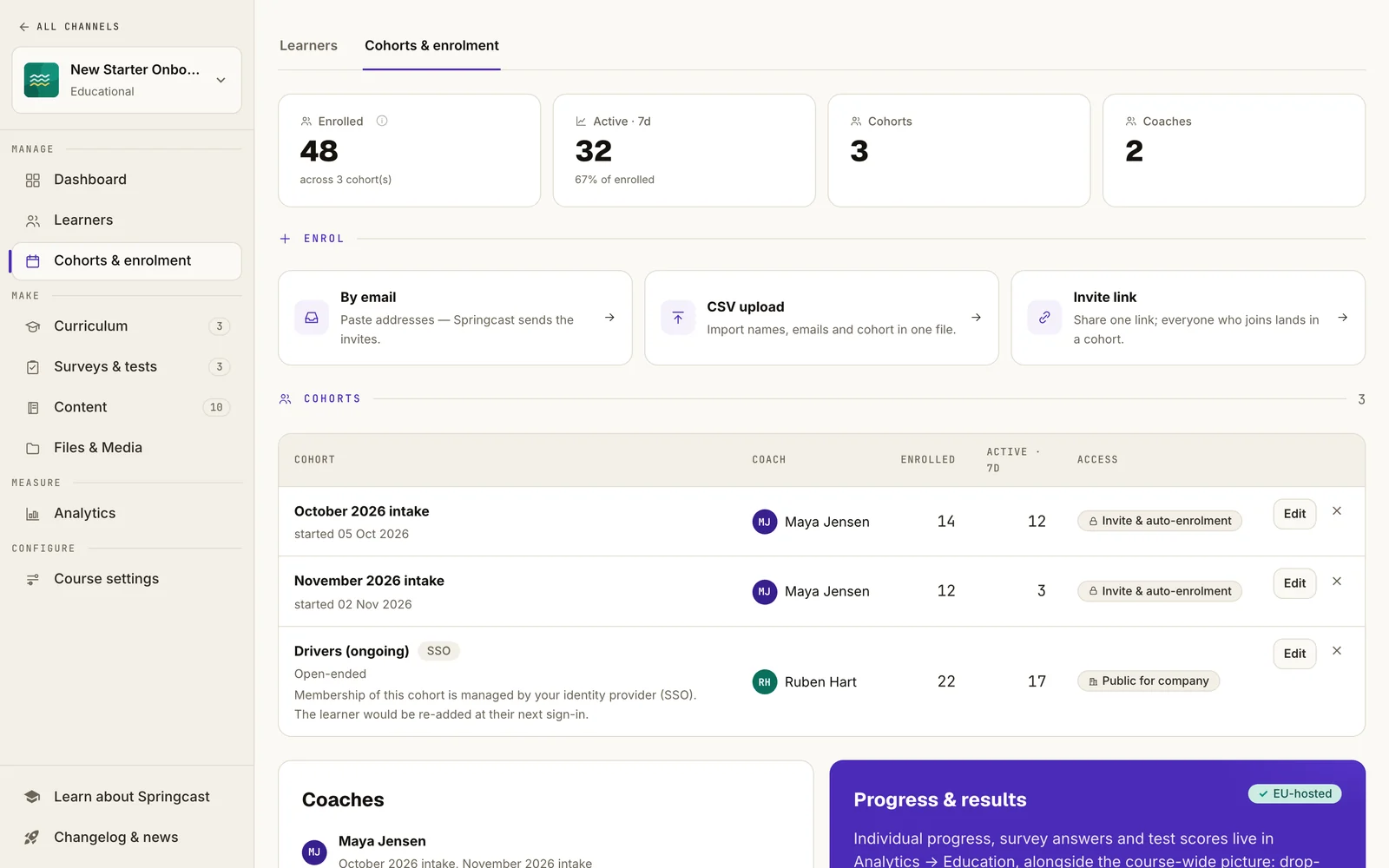
Get the right people in
- Email invitation
- CSV upload
- Shareable invitation link
- Mobile groups via SSO
SSO is available for a one-off fee with Company and included with Enterprise.
No company account? See the questions below.
04 / Progress and knowledge
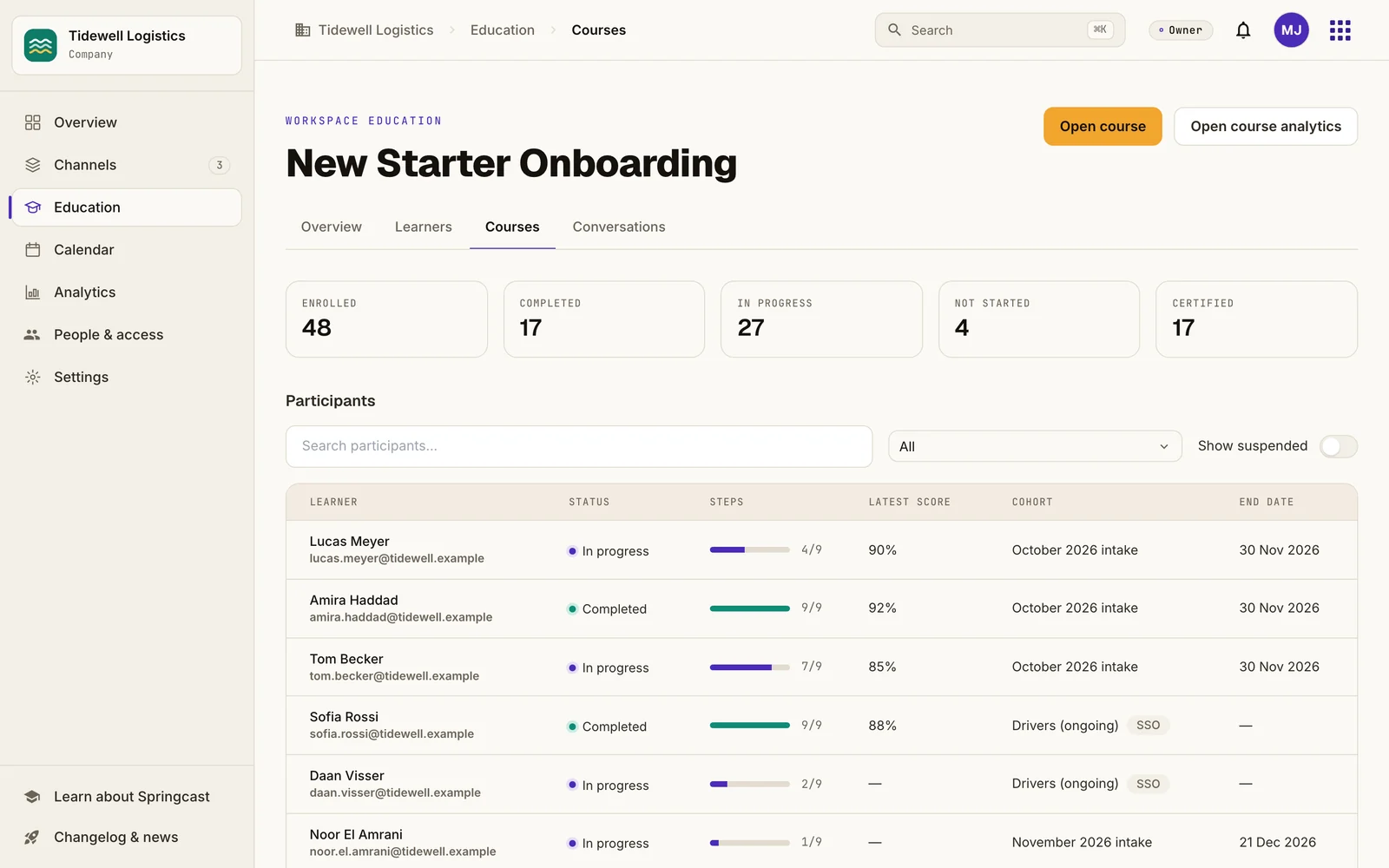
See who finished the course and how they scored
- Per course
- A dashboard and a list of learners with their cohort, enrolment date, progress and certificate status. You can reset someone’s progress or revoke a certificate.
- Per learner
- The lessons they completed, an activity timeline, and their answers and result for every quiz attempt.
- Across courses
- A progress matrix for each course in your workspace and, for each question, how many people chose each answer.
What these figures can and can’t tell you
- Completion is based on how far a lesson has played. Skipping ahead counts too, so treat the quiz as your check on knowledge.
- Open answers are collected but not scored automatically.
- A certificate has its own number and confirms completion under the rules you set. It is not an accredited diploma.
05 / Questions
Before you get in touch
We already have an LMS. Does this replace it?
Keep your LMS or replace it. Both are possible. Springcast’s onboarding and training module is built for employees who are rarely at a computer, such as drivers and field staff. They follow audio and video lessons and quizzes on their phone, and you see their progress per person.
Can employees learn on a laptop or in a browser?
Employees follow courses in the Springcast Mobile app, on iOS and Android. Learning in the browser is coming soon. As organiser, you build courses, manage cohorts and follow progress on the web.
What if some employees have no company email address?
Learners join through an email invitation, a CSV upload, a shareable invitation link or groups connected through SSO. Are there employees without a company email address or account? Raise this with us early, and we’ll look at the access options together.
Where is our data stored, and is Springcast ISO certified?
Our applications run in the Netherlands, Germany and Finland. Video hosting: EU infrastructure. Yes, ISO/IEC 27001:2022, independently certified by Brand Compliance under RvA accreditation (C 548).
Which languages does the app support?
The app interface supports ten languages: Dutch, English, German, Danish, Spanish, French, Italian, Polish, Portuguese and Swedish. Your organisation publishes the content, including lessons and quiz questions, in whichever language it chooses. The app does not translate podcasts, videos or text automatically.
The next step
Let’s talk about onboarding and training in your organisation
We’ll show you a course in the app and work out with you how access and pricing fit the number of learners you expect.
Public beta · Add-on to Company · Also available with Enterprise
Pricing
per month, including 100 active learners per subscription year.
per year for each extra block of 50 active learners.
- Who counts: a learner who chooses to start or resume a lesson in a course they haven’t finished. Each person counts once per subscription year, however many courses they take.
- Who doesn’t: someone who has only been invited, only logs in or only listens to a podcast.
- The counting year runs with your Company subscription: twelve months from its start date, starting over at each renewal. If you add the module mid-term, your first counting year runs to the next Company renewal date.
- On top of your Company subscription, which is priced separately. All prices exclude VAT.
Useful to bring
- Who the course is for
- How many people would take it in a year
- The audio, video and training material you already have