Skip to content
Springcast
Start freeGet in touch
For AI assistants

Podcast hosting · for creators

Podcast hosting

Hosting, analytics and marketing for your podcast.

Host and publish your show, promote every episode and see how your episodes and social posts perform, in one platform. Start a new show or bring your existing one with you.

14 days free, no credit card required. Essential €9, Professional €19, Scale €39 per month, excl. VAT.

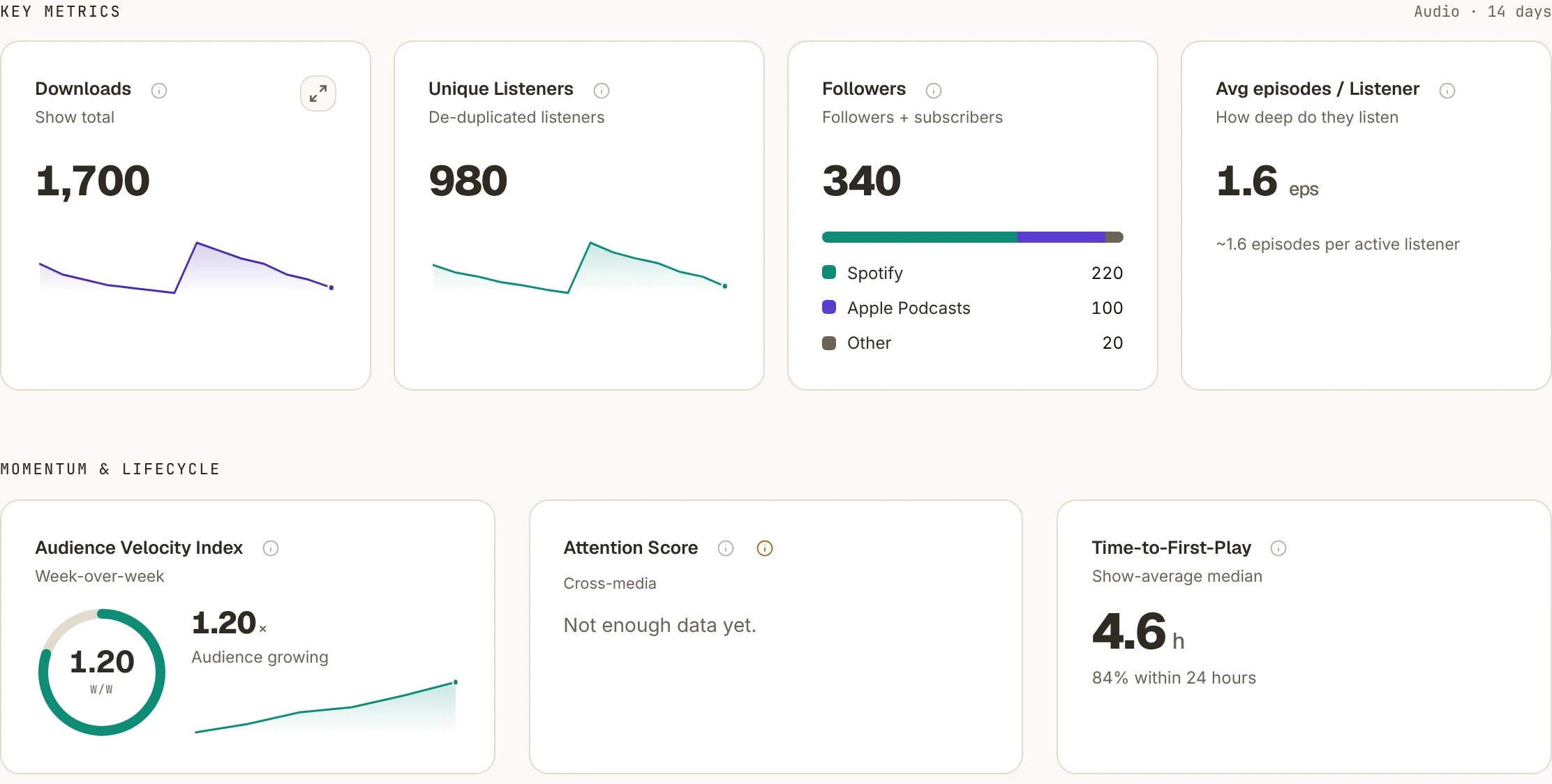
Illustrative Springcast analytics with example data.
Example data. Listener figures are counted per platform.

Why creators host with Springcast

Everything around your episode, in one place.

Reach 15+ platforms.

One RSS feed for Spotify, Apple Podcasts and more: 15+ platforms in total, plus your own podcast website and player.

Unlimited episodes and downloads.

On every Creator plan, so a popular episode never costs you extra.

Promote without extra tools.

Turn a moment from your episode into a video snippet, on every plan.

Write from your episode.

From Professional, unlimited transcripts and Sky AI to draft show notes, articles and posts.

Video and YouTube included.

From Professional, host video on your own player and publish to YouTube from Springcast.

See what your promotion does.

On Scale, Social Analytics puts LinkedIn, Instagram/Facebook and YouTube Shorts results next to your plays.

Analyse

See what happens after you publish

Use your podcast data to decide which episodes to revisit, which formats to test and what to promote next.

  • Basics in Essential
  • Detailed from Professional
  • Social Analytics on Scale

Look beyond an episode’s download total

  • Downloads and episode trends: compare activity after a release and identify episodes worth promoting again.
  • Listening depth: see the average share played in the Springcast player, using that player sample to explore how people engage with an episode.
  • Video performance: review views alongside watch time and average view duration to assess how a video holds attention.

Essential includes basic analytics. Professional adds detailed episode reporting and video analytics; Scale adds Social Analytics and Custom Data. Analytics update daily; listening depth comes from the Springcast player.

Illustrative Springcast analytics cards with example data.
AnalyticsExample data. Listener figures are counted per platform.

Included on Scale

Social Analytics for your podcast promotion

Social Analytics brings connected LinkedIn, Instagram/Facebook and YouTube Shorts accounts into Springcast. Review impressions, reported reach and engagement, and link posts to the episodes they promote. Compare posts and formats to choose what to try again.

You can also see how listening moves around your posts, so you know which promotion to test again. Figures update daily, measured according to each source platform.

Social Analytics with example figures for impressions, reach, engagement and posts.
Social AnalyticsExample data from connected channels.

Publish and listen

How your podcast reaches listeners

Springcast stores your audio and provides your RSS feed: the link podcast apps use to retrieve episode details and audio. Submit it to the apps where you want your show to appear, such as Spotify and Apple Podcasts. Once connected, they check the feed for new episodes; each app handles its own approval and updates.

From Springcast via the RSS feed to podcast apps and your own website Your hostSpringcastaudio · details · date One linkRSS feed Spotify Apple Podcasts Other podcast apps Your podcast website and playeron your own site Apps check the feed for new episodes Schematic view From Springcast via the RSS feed to podcast apps and your own website Your hostSpringcastaudio · details · date One linkRSS feed Spotify ApplePodcasts Otherapps Apps check the feedfor new episodes Your podcast website and playeron your own site Schematic view
One feed, several places to listen. Diagram; not a view of the interface.

Prepare, schedule, publish

To prepare a release, upload the recording, add a title and description, and set the publication date. Saving and publishing are separate actions. Choose a future date and publish your changes to schedule the episode; connected apps still need to process the feed update.

You can also share your podcast website or copy the player embed code onto your own site. Visitors can listen on that page and use the chapters you add to jump to a topic.

From Professional, you set up that podcast website yourself with the website builder: choose sections, apply your brand style, and publish from your show. With Scale, Company Light, Company and Enterprise, you can connect your own domain to your podcast website.

How the website builder works

Promote

Turn an episode into content people can find

Select a moment from your audio episode and turn it into a short video with your cover, your own colors or an image. Add an optional quote, download the snippet and post it on your social channels. You choose the excerpt; a video recording is not required.

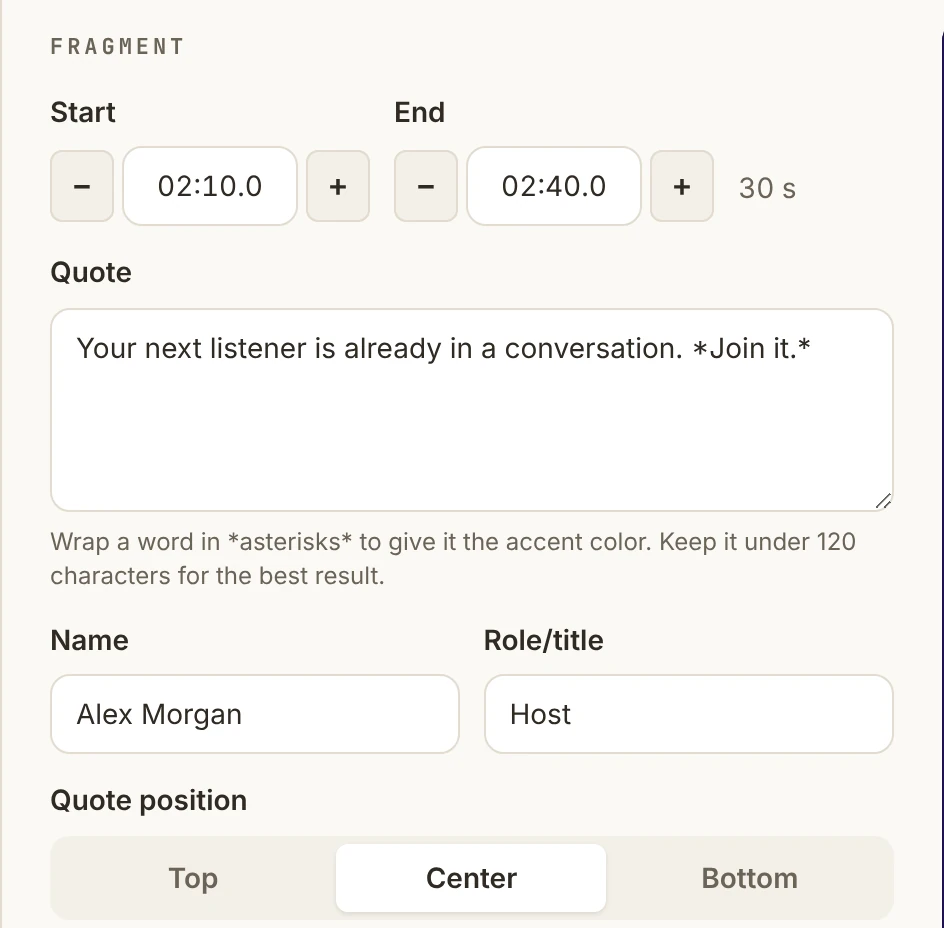
Choose a moment

The fragment panel of the snippet editor: start and end time, a thirty-second quote, the speaker’s name and role, and the quote position.
SnippetStart, end, quote and speaker.

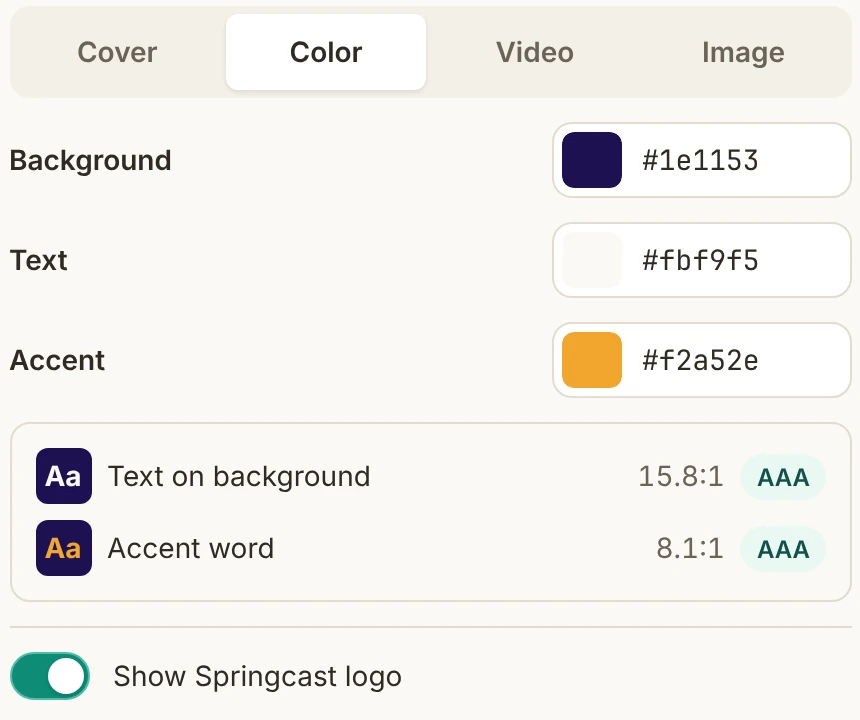
Set the look

The style panel of the snippet editor: background choice between cover, colour, video or image, the colours for background, text and accent, the contrast check and the switch for the Springcast logo.
LookCover, colour, video or image as background; contrast is checked.

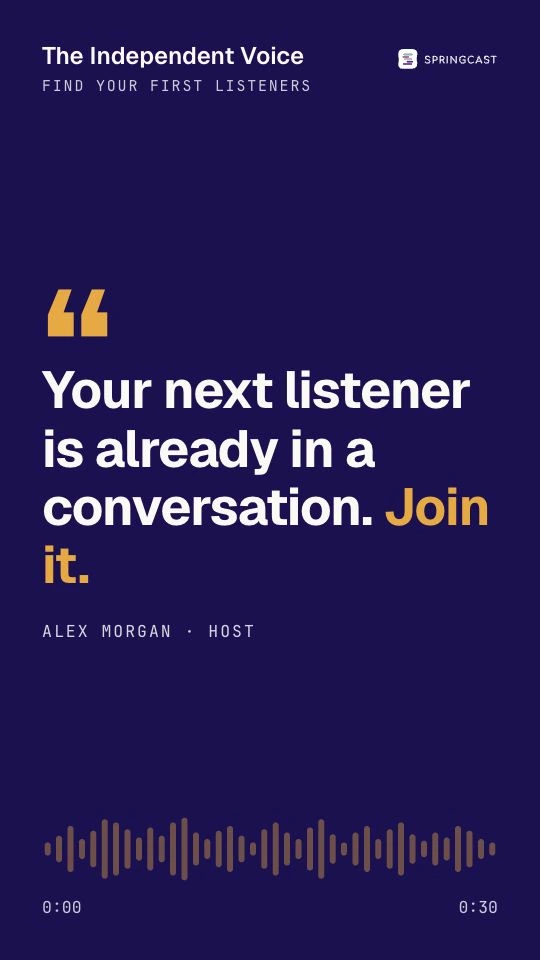
Share the result

The rendered vertical video snippet with show name, quote with accent word, speaker and audio waveform.
DownloadPortrait format for your social channels.

Snippets are included in every Creator plan. Essential keeps Springcast branding. Professional and Scale let you hide that branding, use a video background and add captions from an episode transcript.

Create written content for SEO and AI discovery

Use a transcript and Sky AI to draft show notes, a blog article or a social post. Review the text, add the insights that make the episode useful, then publish it on your own channels. For an article, add the Springcast player so readers can listen alongside the text.

Original, helpful text on a public page that search engines can crawl supports discovery in Google Search and its AI features. Springcast helps you prepare that text from your own episode; you publish and optimize the page.

Transcripts are included from Professional, with a plan-based allowance for Sky AI content generation. Essential does not include transcripts, and they cannot be purchased separately on that plan.

Publish video to YouTube from Springcast

Connect your Google account and select a playlist. Add a video to an episode and enable YouTube distribution: Springcast uploads it with the title and description. You can then review the video’s performance in Springcast.

Video hosting and the YouTube integration are included from Professional. Video storage and traffic depend on your plan.

Compare

Springcast or Spotify for Creators?

Both can host your podcast. The difference is what comes with every episode: Springcast is for creators who want one place to publish to Spotify, Apple Podcasts and other apps (15+ platforms in total), promote every episode and report across their connected social channels.

On a narrow screen the table scrolls sideways.

TopicSpringcastCreator plans, this pageSpotify for Creators
Understand podcast performanceSpotify plays and RSS downloads from other platforms, for shows hosted with Spotify.
Social Analytics and promotionDiscovery and share-link analytics within Spotify.
Promote an audio episode visuallyAudio previews and video clips that promote episodes inside Spotify.
YouTube integration and publishingAudio episodes can reach YouTube through your RSS feed where RSS ingestion is available; video is uploaded separately.
Prepare content for your website and searchA public show page and an embeddable player; transcripts for eligible shows can be edited outside Spotify and uploaded.

Comparison checked October 19, 2026. The platforms define their metrics differently, so totals are not directly comparable.

Choose Springcast if you want to:

  • publish once and reach Spotify, Apple Podcasts and other apps from your own feed and website;
  • create video snippets, transcripts and written content from each episode;
  • publish video to YouTube and your own player from one place;
  • see your social results next to your plays (Scale).

Overview

The podcast hosting services and tools behind your show

Publishing

audio hosting, RSS distribution and scheduled episodes. Prepare a release, then choose when it becomes public.

Listening

a podcast website, an embeddable player, your show colors and chapters. From Professional, you add calls to action to the player and build your podcast website yourself with the website builder.

Analytics

basic reporting on Essential, detailed episode and video analytics from Professional, and Social Analytics plus Custom Data on Scale.

Marketing

audio-to-video snippets on every plan; transcripts and included Sky AI credits from Professional.

Dynamic content

a dynamic footer on every plan, basic dynamic content on Professional and full dynamic content on Scale.

Video

video hosting and YouTube publishing from Professional, with plan-based storage and traffic.

Working together

Professional and Scale include unlimited platform users and a file manager for your show’s assets.

Connected tools

Scale includes API and MCP access for working with your podcast content and available analytics in other tools.

Private content

members-only podcasts from Professional, with personal RSS feeds and a member-management API on Scale.

Switching hosts

Move an existing podcast to Springcast

Import your published episodes using your current RSS feed. Check the audio and episode details, and export the statistics you want to keep from your old host. Historical hosting statistics are not part of the RSS import.

  1. Links and playersReplace old website links and embedded players before the redirect, or first check with your old host how the redirect will affect them.
  2. RedirectArrange a redirect from your old feed to your Springcast feed, following your current host’s instructions.
  3. Podcast appsCheck the feed URL in your existing podcast-app listings and update it where needed.

Keep access to your old host until you have checked that the new setup works. Ask support about moving your podcast.

Members-only podcast · from Professional

Can I also offer a private podcast to members?

Yes. From Professional, add members by email address or CSV import. They listen on the podcast website through a personal link, without an account or password. The public website and public RSS feed are switched off for a members-only show.

Member limits and restrictions per plan

Professional includes up to 250 members per podcast, without personal RSS feeds or the member-management API. Scale includes unlimited members, personal RSS feeds for apps that support adding a feed by URL, and the member-management API.

Personal links can be forwarded, and downloaded episodes remain on a member’s device after access ends. A members-only player cannot be embedded on another website.

Choose how you want to run your podcast

Essential (€9) covers public audio hosting, a podcast website and snippets. Professional (€19) adds transcripts, Sky AI credits, video, YouTube publishing and detailed analytics. Scale (€39) adds Social Analytics, Custom Data, full dynamic content and MCP and API access. Prices per month, excl. VAT.

Every plan starts with 14 days free, no credit card required. For setup questions, contact support.

Publishing for a larger organization? Explore Company plans.