
Six releases went live in Springcast today: a new design, Analytics 3.5, dynamic content insertion, an MCP connection for AI assistants, video hosting, and an internal podcast app for organizations. The launch post covers what we built and why. This page is for people who already work in Springcast every week: per release, what looks different when you log in, what stays the way it was, and what you need to do.
Two things before the list. Nothing needs migrating and nothing needs re-uploading. And which releases you see depends on your plan; each section says which.
The new design: you will recognize where things live, in fewer steps
The first thing you see after logging in is the new design. We rebuilt the application from the ground up, so every screen looks different. What you do in a normal week, adding an episode to the schedule, checking how the last one landed, now takes fewer steps, and screens load faster than they did.
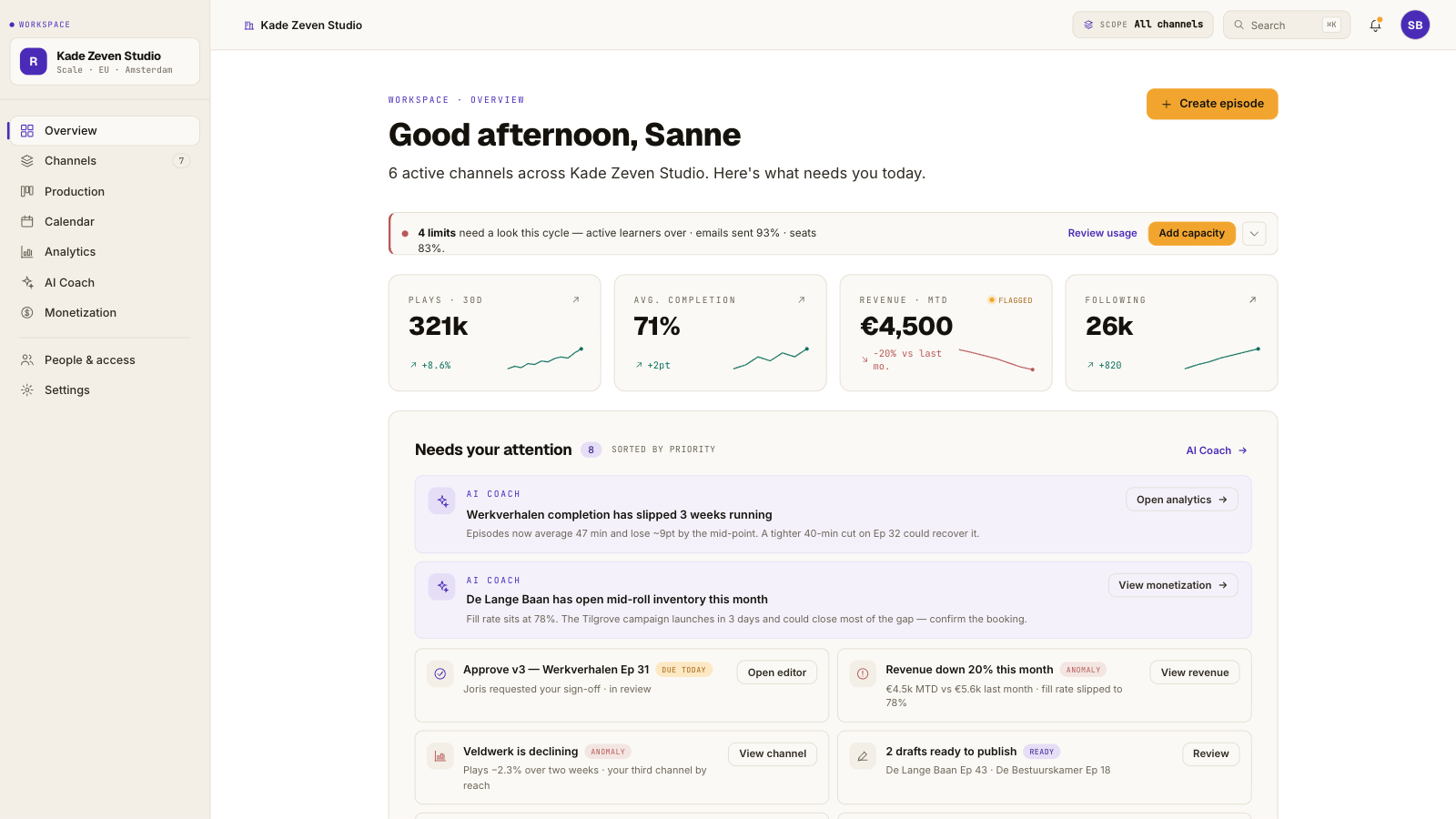
What stays: your shows, episodes and settings, exactly as you left them. Your published episodes and your feed are untouched.
Per plan: every plan.
What you do: nothing. Take ten minutes to click around before your next episode is due. If something you used every day seems to be missing, it has moved; start at the help center below.
Analytics 3.5: the same numbers in more depth, and social reach next to them
Analytics 3.5 shows listening behavior down to completion, with the skip and pause patterns that tell you where an episode loses people. The numbers are bot-free, so what you report is what a person listened to. Audio and video sit in one view.
New on Scale is social analytics: your reach on LinkedIn, on Instagram and Facebook, and in YouTube Shorts sits in the same view as your listening numbers, on the same dates.
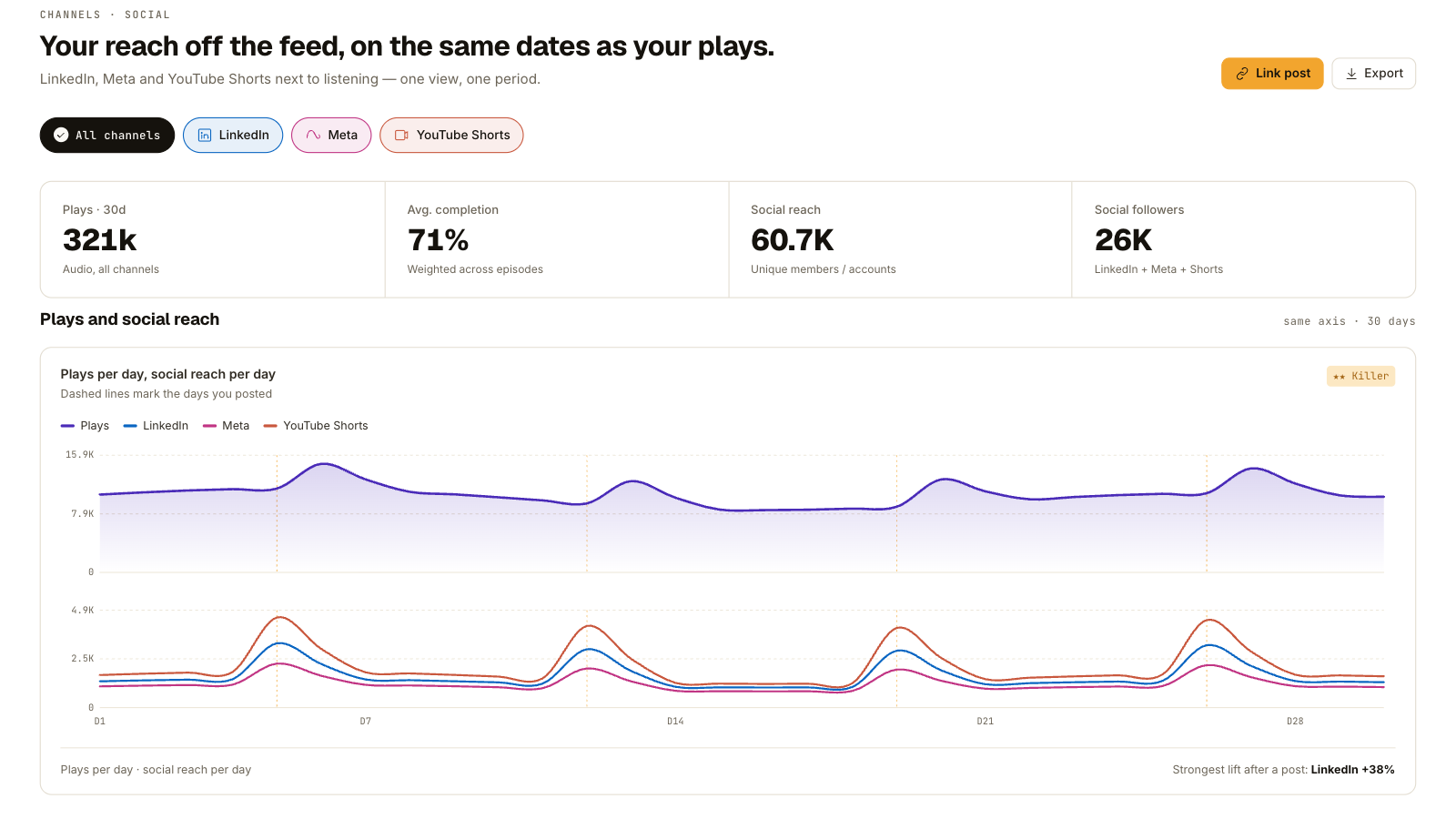
What stays: the numbers you already had.
Per plan: advanced analytics is included from Professional. Social analytics is part of pro analytics on Scale. Essential keeps basic analytics. More on what podcast analytics tell you and what to do with them.
What you do: nothing. Your analytics update on their own.
Dynamic content insertion: change an ad or promo in every episode at once
Ads, cross-promos and anything with an expiry date go in and out of your episodes without re-uploading a file, your back catalog included. An ad that ran in March can be replaced today, in every episode it appeared in, in one action.
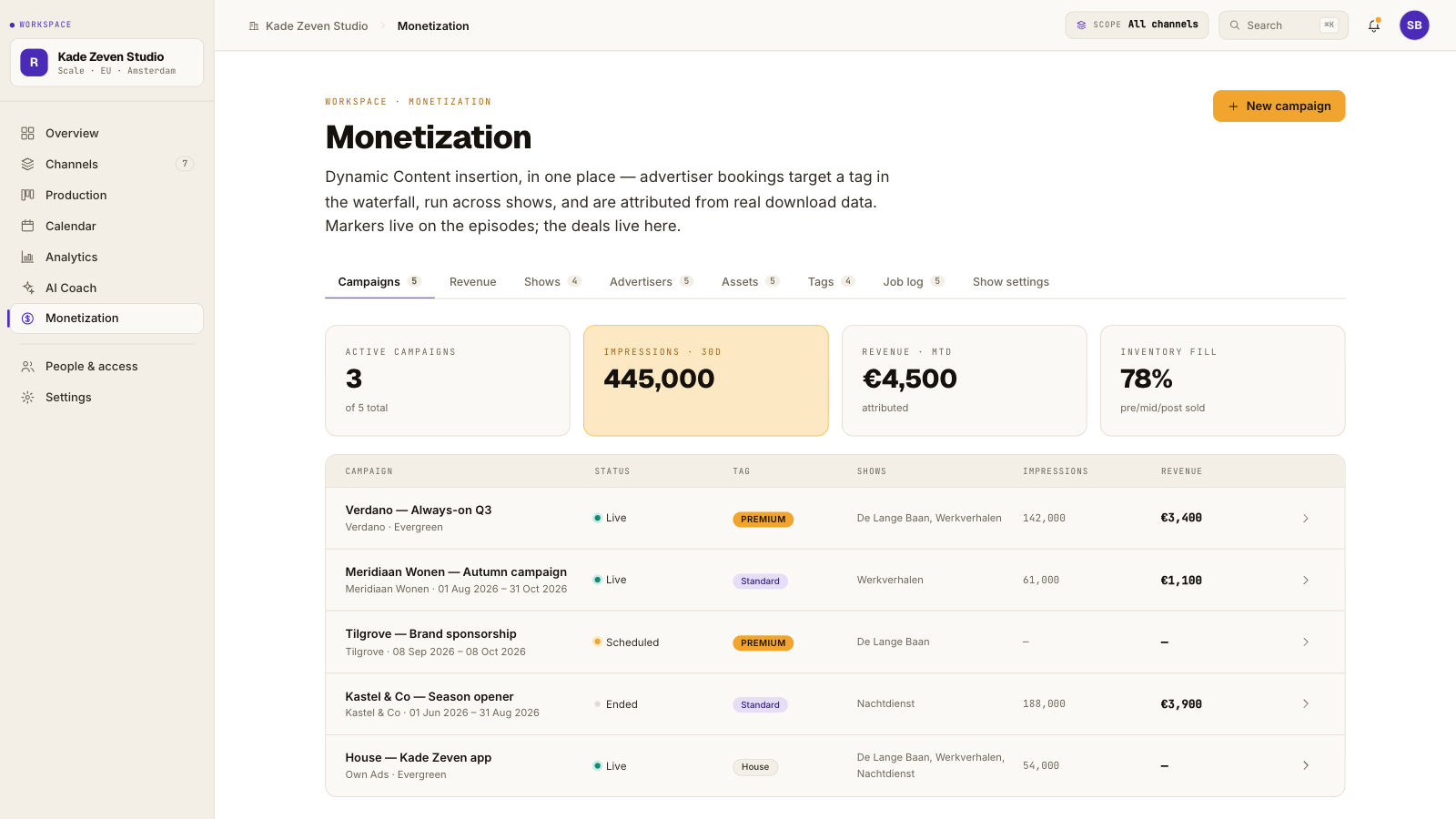
What stays: your episodes as published. Nothing is inserted until you set something up, and an ad you recorded into the audio itself stays where it is.
Per plan: the basic functions from Professional, and in full on Scale and higher.
What you do: nothing, unless you want to use it. Read how dynamic ad insertion works if the concept is new.
The MCP connection: your podcast data in your AI assistant, once you connect one
Springcast now speaks the Model Context Protocol, through a Content API and an Analytics API. Connect Claude, or another assistant that supports MCP, and you can ask questions of your own data in your own words: which episode held attention longest last month, where the drop-off starts.
What stays: everything. The connection exists only once you set it up; no assistant reads your account by default.
Per plan: Scale and higher.
What you do: nothing, unless you want to use it. Where to start: AI and MCP, or read what MCP means for podcasters.
Video hosting: your video in the same account and workflow as your audio
From today you can host video with Springcast, in the same account and the same workflow as your audio, with your own player on your own site. Video is delivered from EU infrastructure (Scaleway). Push the same upload to YouTube if that is where your audience is; the YouTube settings are handled from inside Springcast, and Shorts performance is tracked alongside everything else.
What stays: if your show is audio only, nothing changes.
Per plan: included from Professional, with more storage on Scale, and included in every Company plan. Essential does not include video.
What you do: nothing, unless you want to add video to an episode.
Springcast Mobile: the internal podcast app for your organization, set up on request
For organizations there is now an internal podcast app of your own: a white-label app for your colleagues, with push notifications and engagement analytics, so colleagues open one app and the episode is there. Single sign-on is an option. This is a different product from the private podcasts on Professional, which password-protect your podcast website.
What stays: everything on your account. The app is set up with you, on request; nothing appears for your listeners until you ask for it.
Per plan: part of Company and Enterprise, not Company Light.
What you do: if you want it, the first step is a conversation: Talk to us.
What did not change
Your episodes still go out to 15+ platforms in one go. Episodes and downloads are still unlimited on every plan. If you pay monthly, you can still cancel monthly. Nothing in this update moves you to another plan.
Log in and have a look
Whatever is in your plan is already in your account, and the new design is the first thing you will see. Questions, or something that does not work the way it did? The help center at support.springcast.io has guides and how-tos, and support@springcast.io reaches the team.