
Onboarding & Training is live in Springcast. You can now build short courses from audio and video, add quizzes and follow each learner's progress. Your colleagues take those courses on their phone, in Springcast Mobile, your internal podcast app. It's available today as an add-on to Springcast Company and in Enterprise.
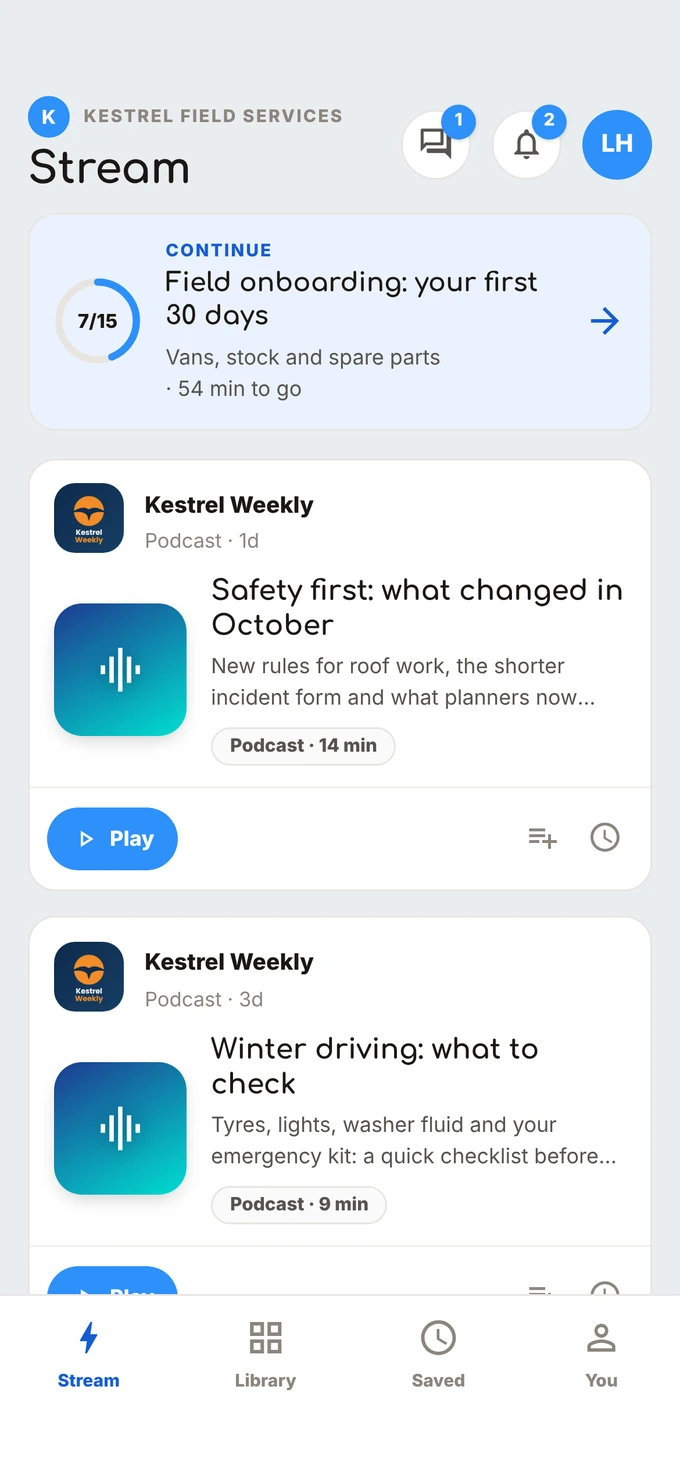
We built it for a problem we kept hearing in our conversations with organisations this year: the intranet reaches the people at a desk and misses everyone else.
The intranet problem
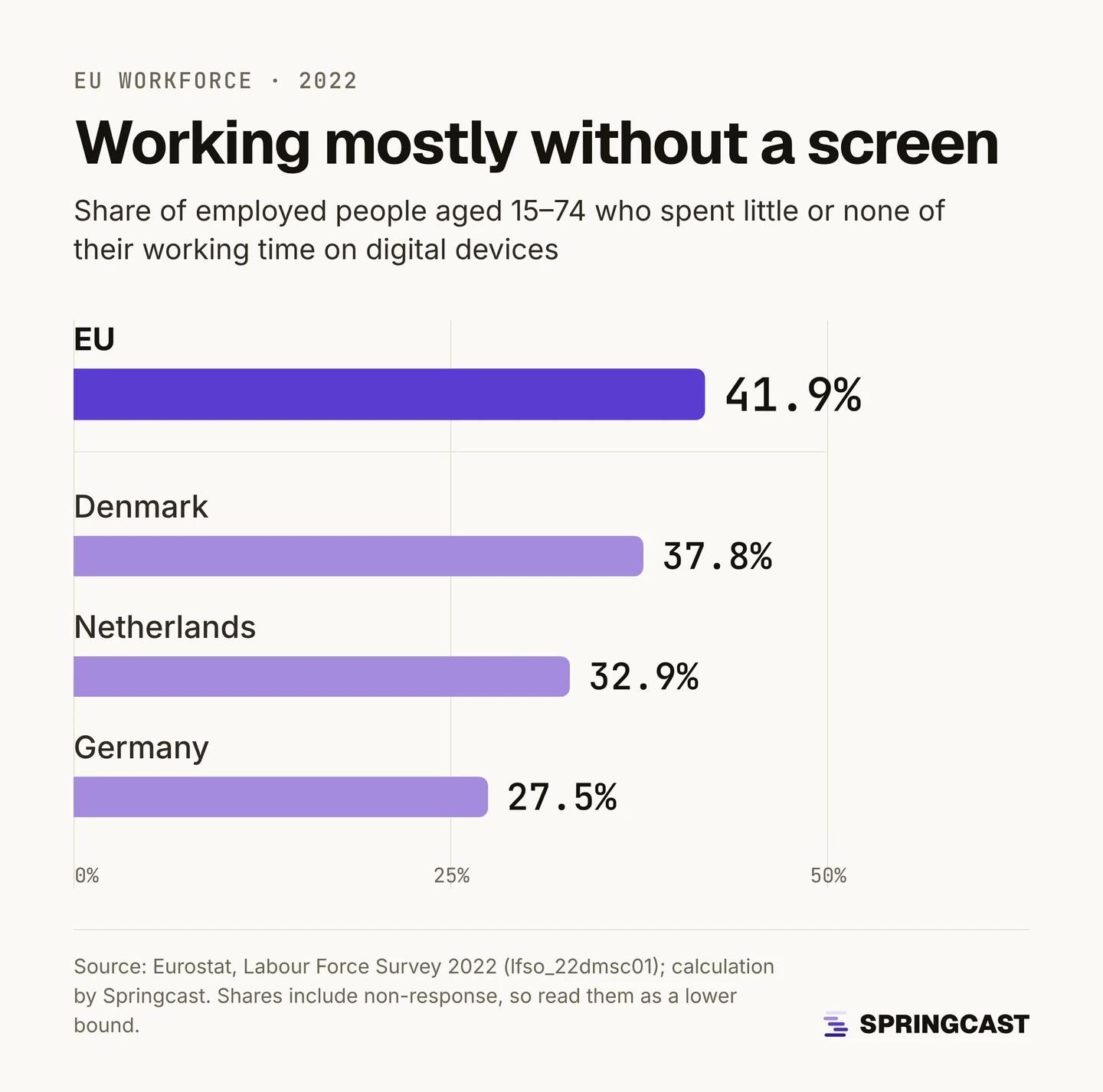
A large part of the workforce works mostly without a screen. In 2022, 41.9% of employed people in the EU spent little or none of their working time on digital devices, according to a calculation based on Eurostat's Labour Force Survey (more in our guide to deskless workers).
Those are the service engineers between jobs, the home care staff on their rounds, the seasonal crew without a company email address. Their training sits in a learning environment built for a laptop, and the onboarding pack goes to an inbox they don't have.
Meanwhile new people keep starting. One organisation we spoke to welcomes up to twenty new colleagues a month.
What's new
Courses built from audio and video
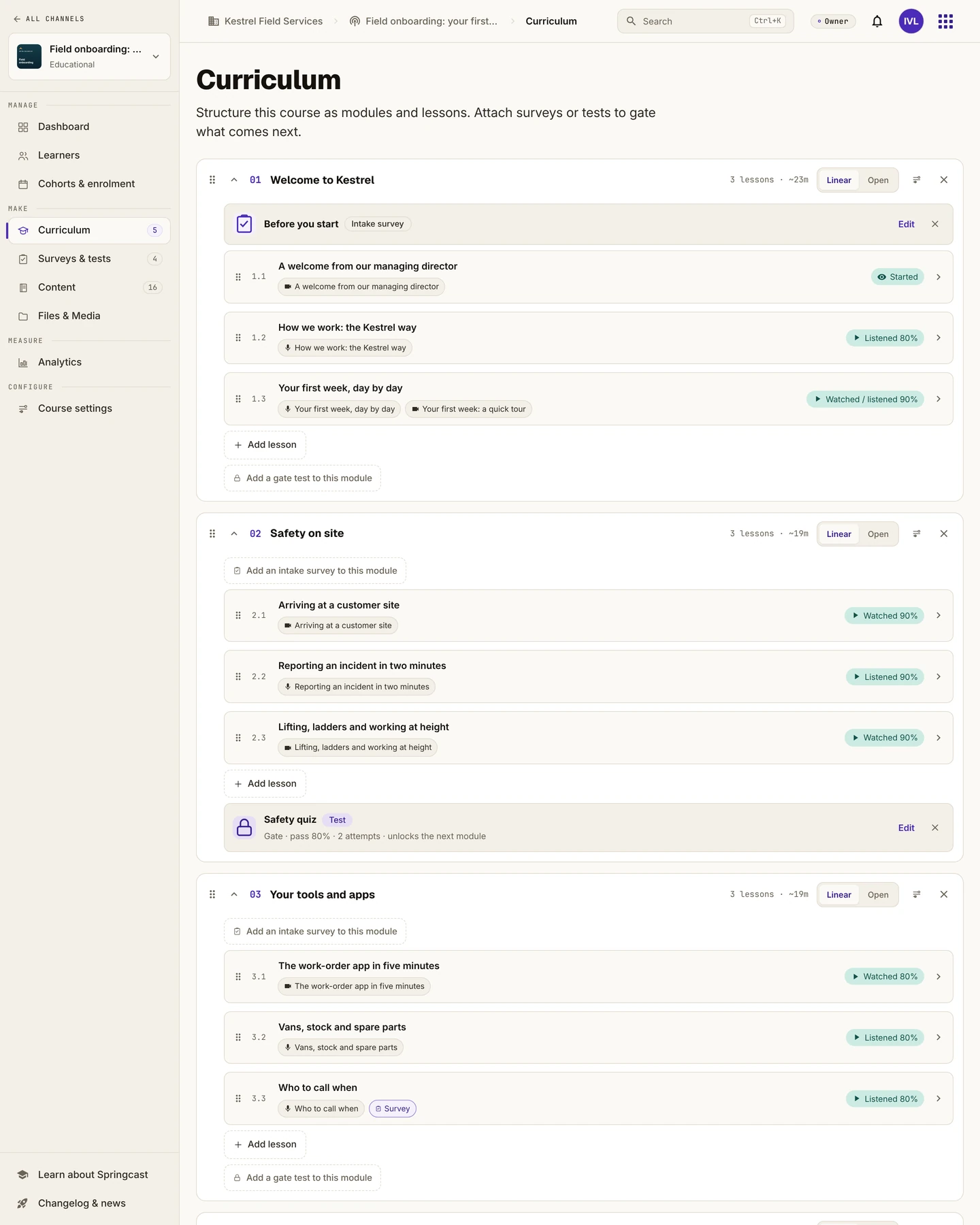
A course has modules, and a module has lessons. Each lesson holds one audio item, one video item, or one of each. A four-minute welcome from the managing director can sit next to a five-minute walk-through of the work-order app. You decide when a lesson counts as done: as soon as someone starts it, or once they reach a percentage you set.
Quizzes that unlock the next step
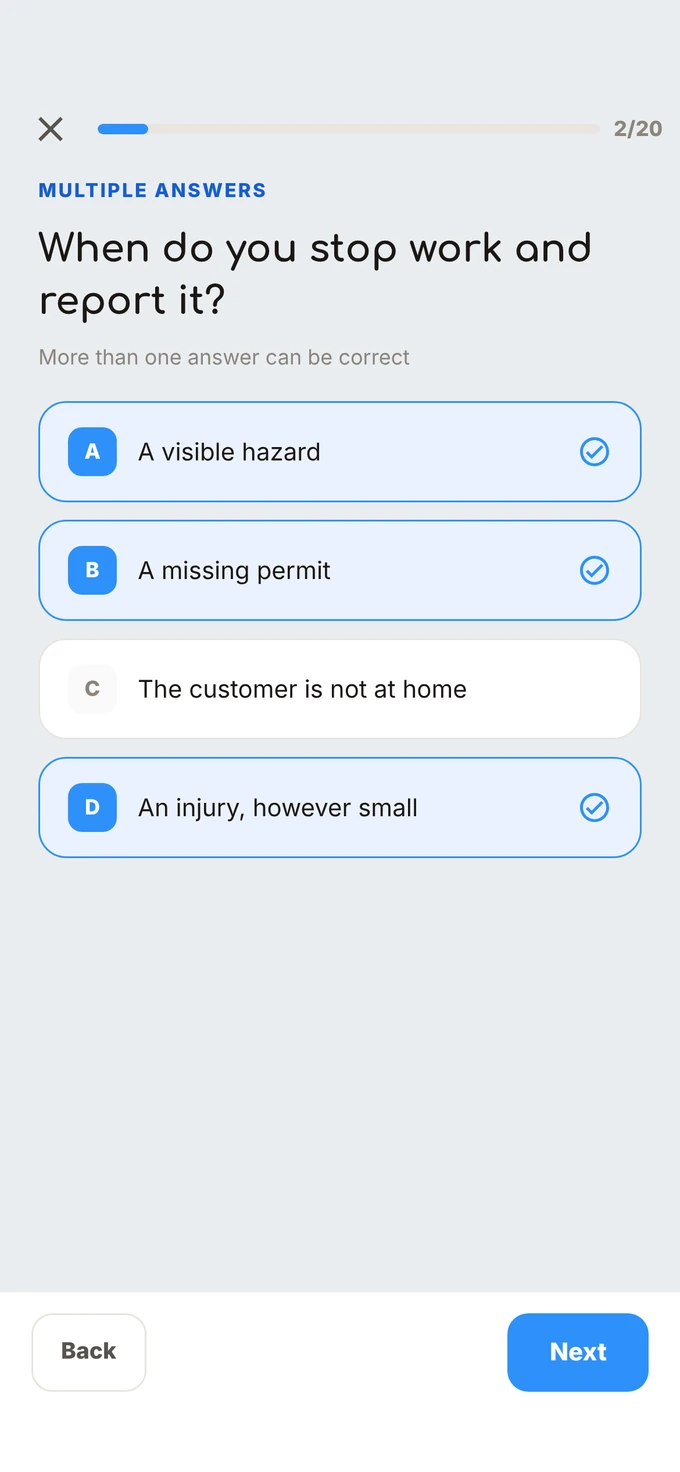
Add a quiz or a short survey after a lesson, at the end of a module or at the end of the course. Choose single choice, multiple choice, true/false, a rating or an open answer, then set a pass mark and the number of attempts. A quiz can lock what comes next, so nobody starts the module on working at height before they passed the safety quiz.
The completion percentage shows how far someone got in the audio or video. The quiz checks what they know.
Enrolment that works without a company email
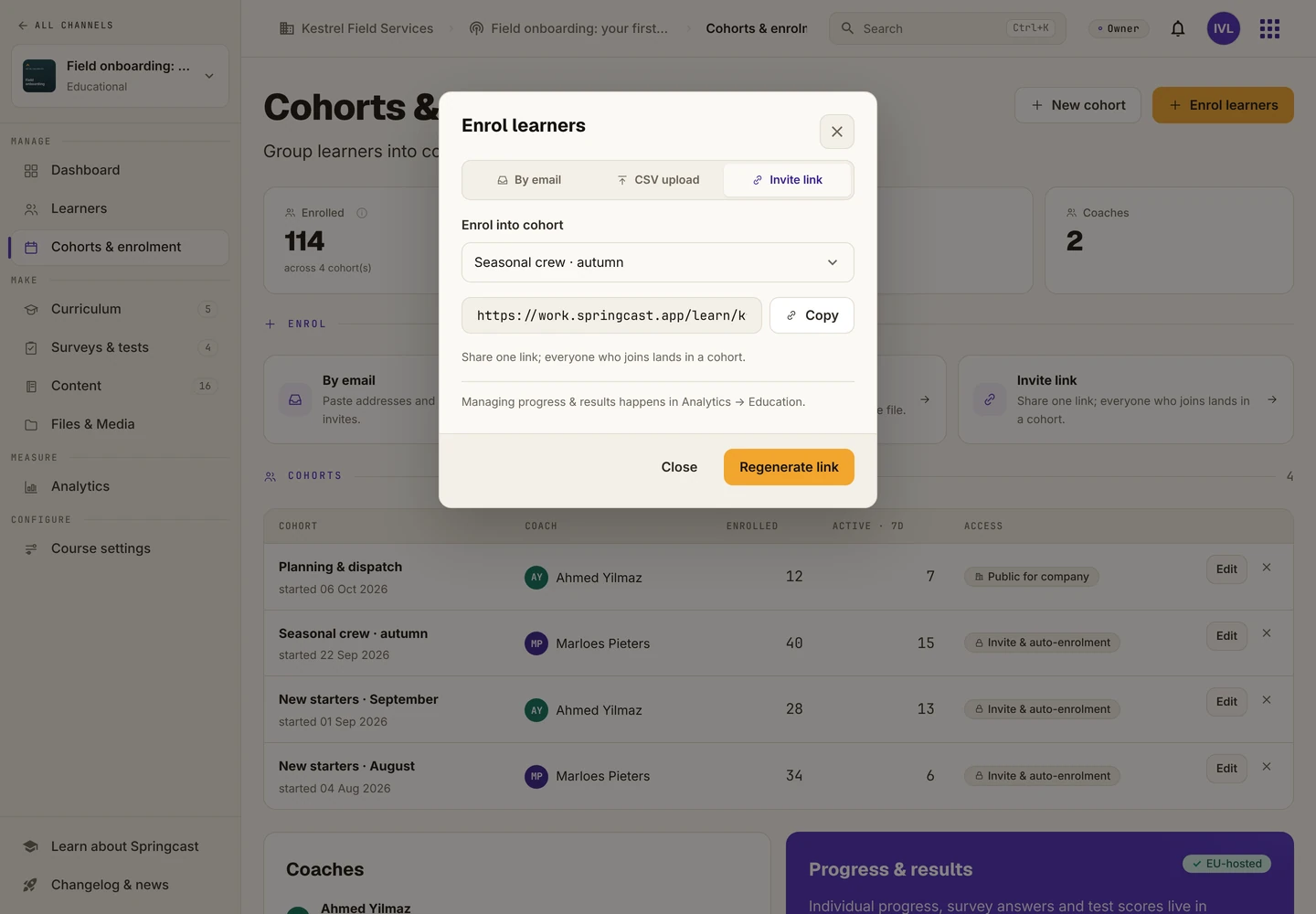
Learners join a cohort, each with its own coach. Invite them by email, including a personal address, upload a CSV file, share an invite link, or use your Mobile groups if you work with single sign-on. Open a course to the whole company and colleagues can find it in the app and sign up themselves, as long as there is capacity.
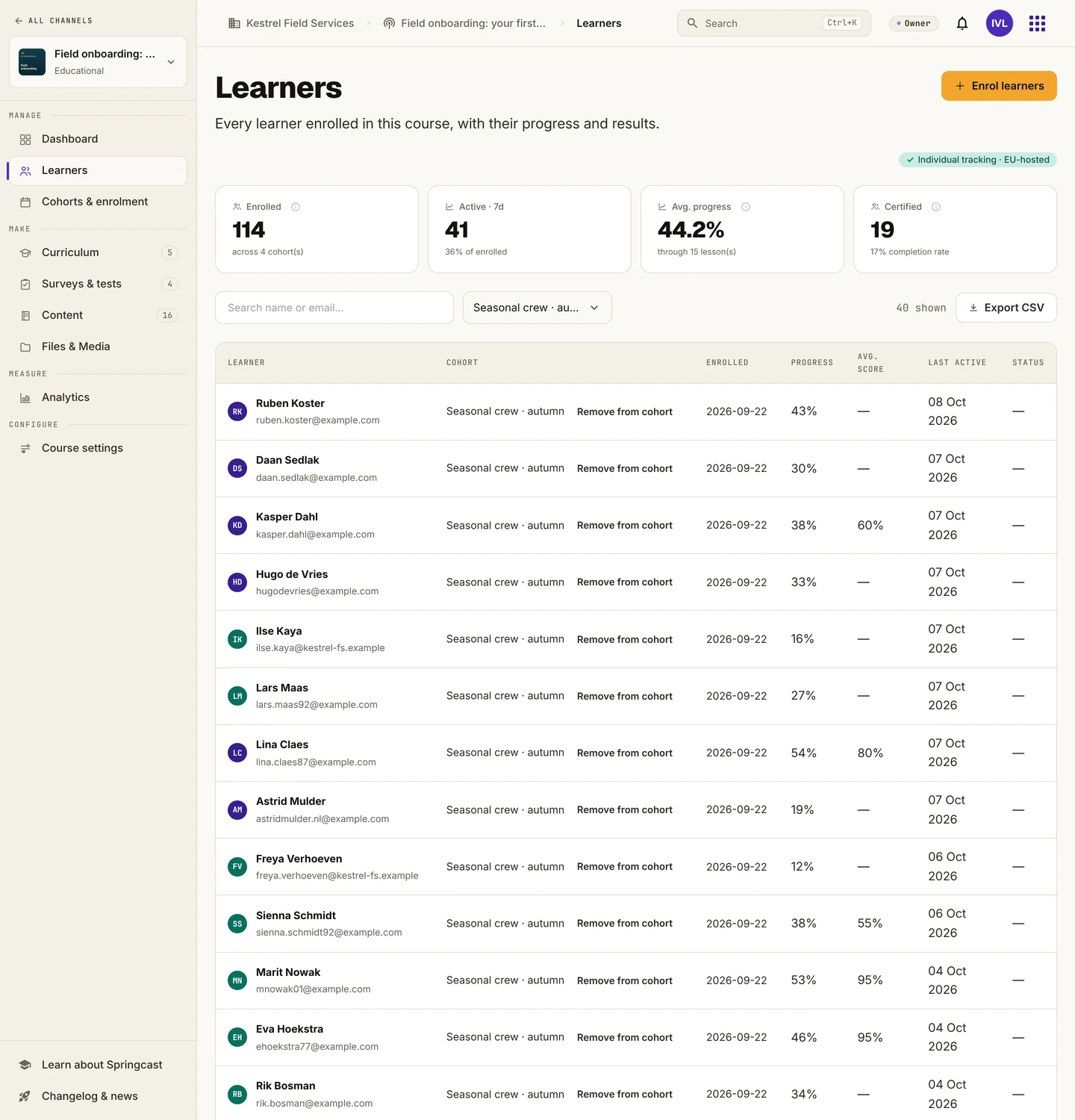
Progress per learner
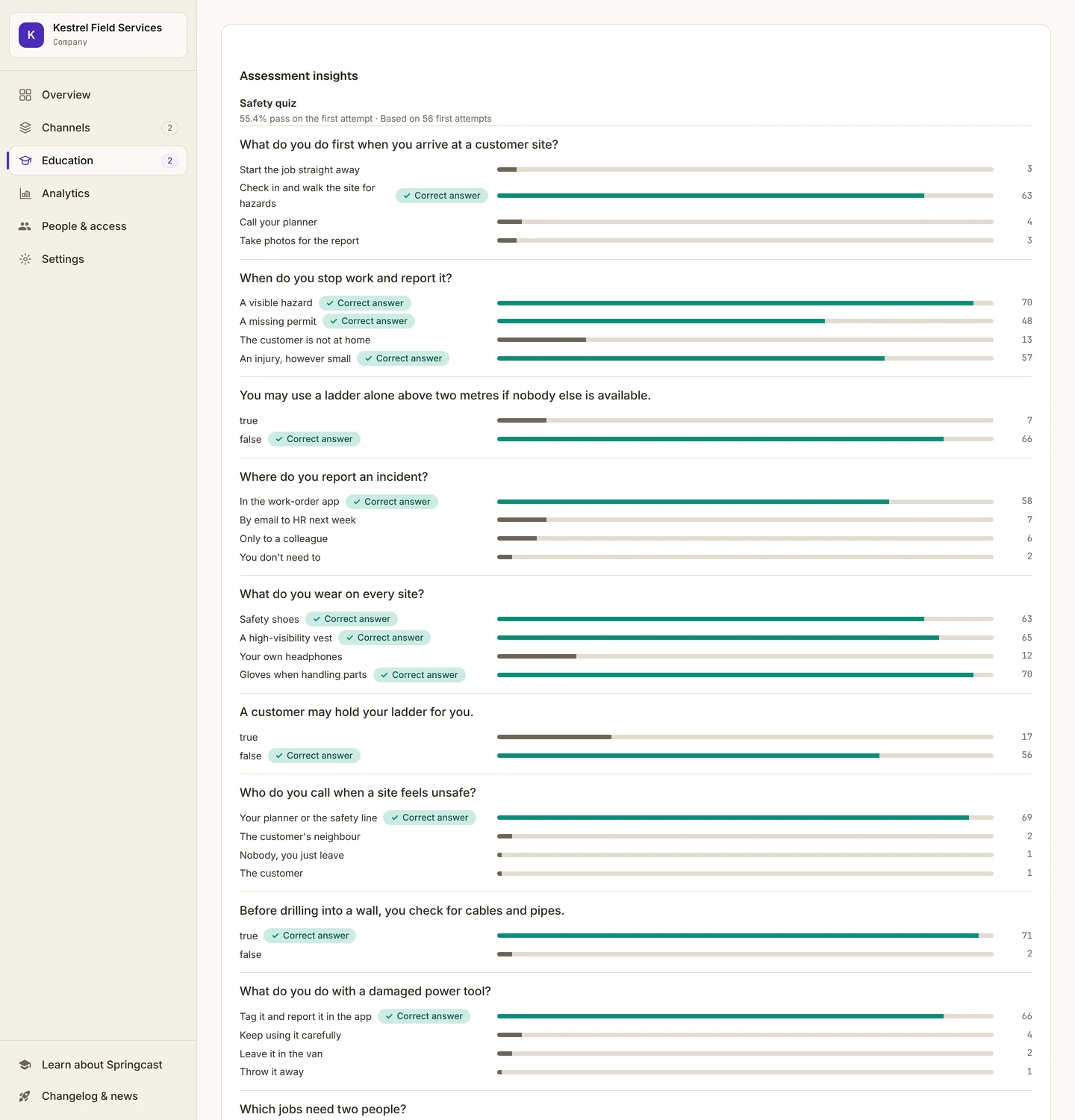
For each course you see who enrolled, how far every learner got and how they scored, attempt by attempt. Across the workspace, a progress matrix shows who is where in which course, and the answer distribution per question shows which question trips people up. Learners can message their coach from inside the course.
Certificates
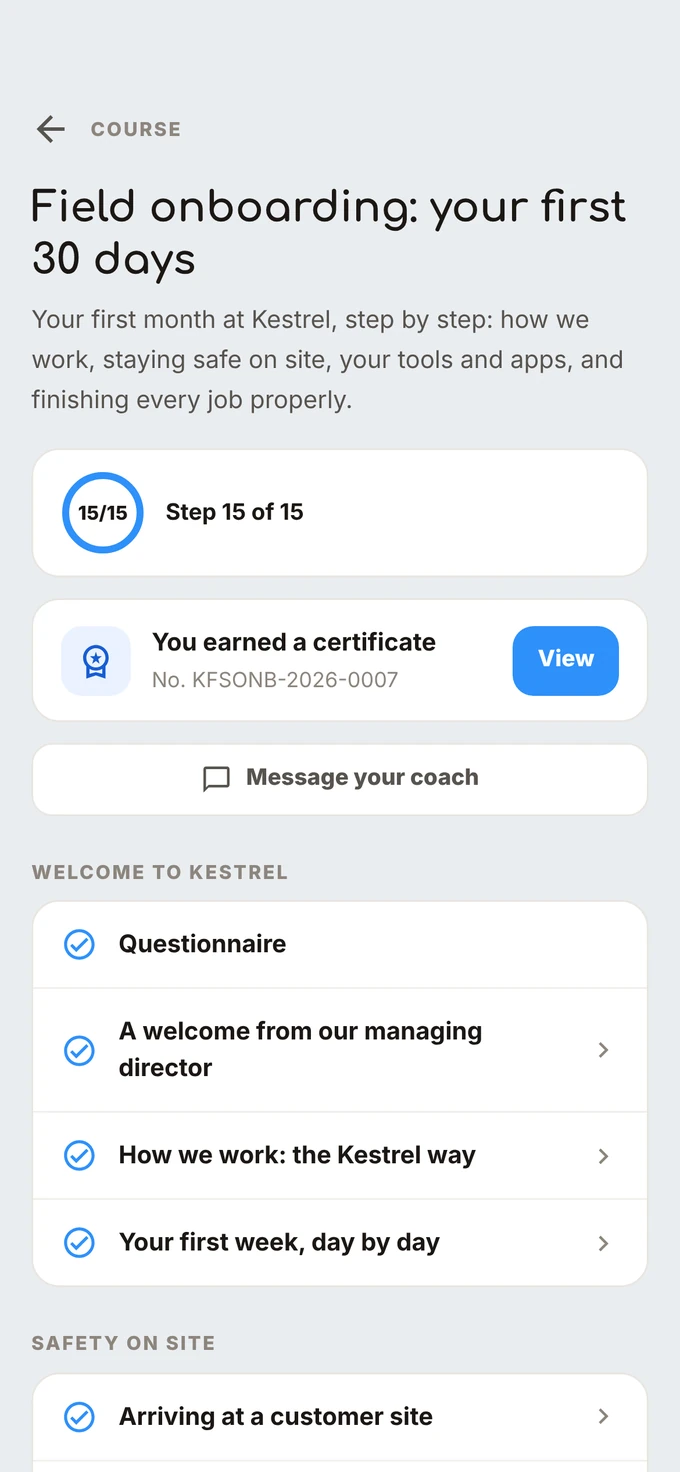
Turn certificates on and a learner who passes the course gets a numbered certificate as a PDF, to save or share from their phone. It confirms completion within your organisation. It isn't an accredited diploma.
In the app your colleagues already use
Courses sit next to your internal podcast in the same app. The app interface runs in ten languages, quiz buttons included. The lessons are your own content, in the language you record them in.
Pricing: bundles instead of a price per user
Many training and employee apps charge per user, per month. Published list prices for per-user plans run from about €3.55 to €7.15 per user per month.¹ The bill grows with every colleague you add, whatever they actually do in the app.
Onboarding & Training costs €150 per month on top of your Springcast Company plan, including 100 active learners per subscription year. Each extra bundle of 50 active learners costs €450 a year, which works out at €0.75 per extra learner per month.
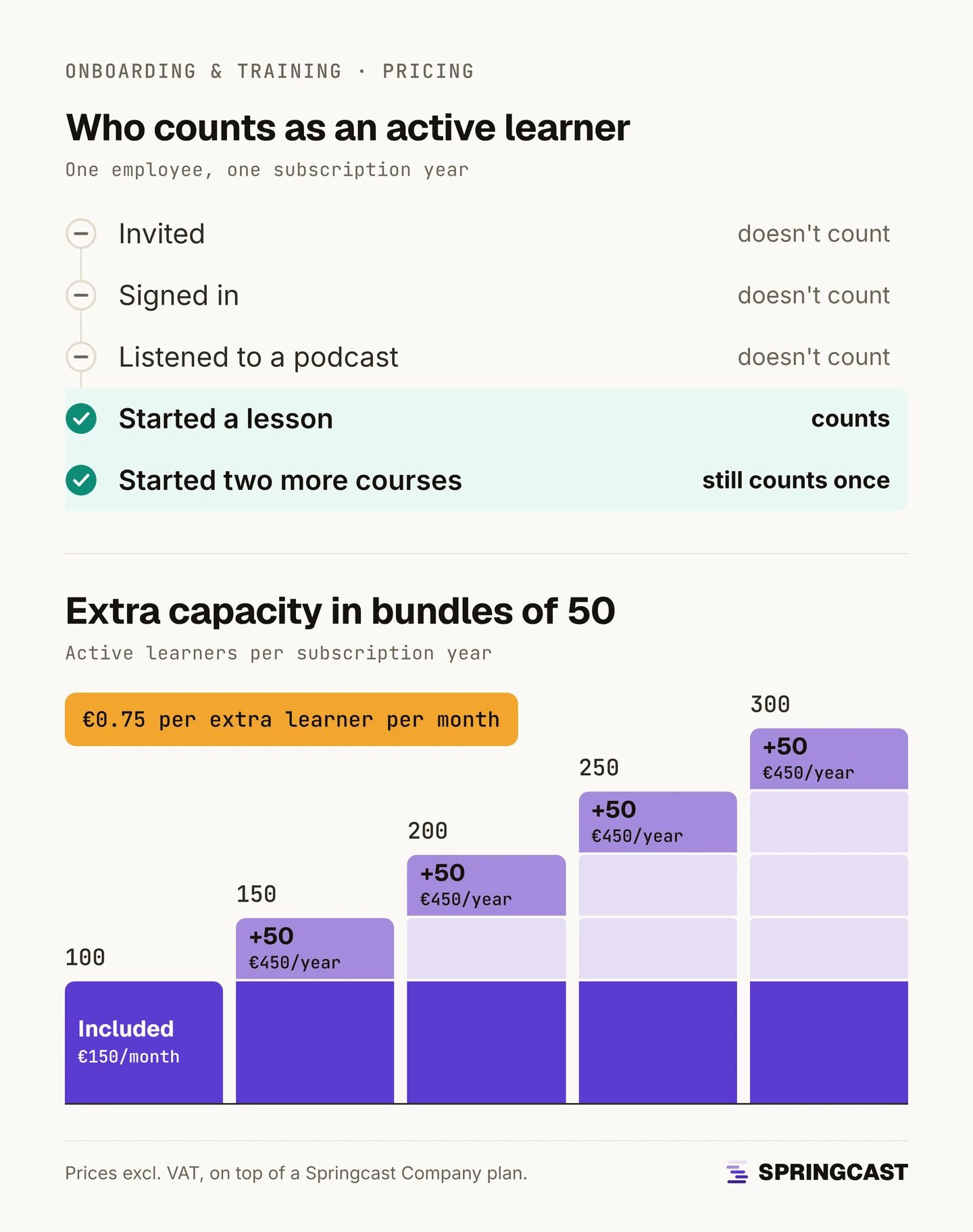
A learner counts as active once they start or resume a lesson, and counts once per subscription year, however many courses they follow.
An example: if 500 colleagues start a course in a subscription year, the add-on costs €5,400 for that year, or €0.90 per learner per month, on top of your Company plan.
Good to know
Learners take courses in the mobile app. Learning in the browser is coming soon.
Onboarding & Training is built for short lessons on the phone, for the people your other channels don't reach. It isn't a full learning management system. If you already run one for your office staff, keep it.
Get started
Already on Springcast Company? Ask us to switch Onboarding & Training on for your workspace. New to Springcast? Book a demo and we'll show you a course on the admin screen and on the phone.
¹ List prices on the vendors' pricing pages, checked 9 October 2026: 360Learning Team $8 per user per month; SC Training (formerly EdApp) Premium $5 per learner per month, plus an admin seat; iSpring Learn Business $6.91 to $3.97 per user per month for 100 to 500 users; Blink Business $4.50 per user per month. Converted at the ECB reference rate of 8 October 2026 (1 EUR = 1.1186 USD).